Encore: my own Spotify app with stats and ratings
In this article
I listen to music on Spotify, but I'd long missed an overview of what I'd played, when and how often. I also wanted to rate music and write short reviews of it. And it would be handy to see right next to an album how ProgArchives users rate it.
I'd wanted to write an app like that for years but never found the time. The last straw was finding out that the Spotify app on my Mac takes up over 1 GB of memory and puts a heavy load on the CPU even when it isn't playing anything. It was draining my battery for nothing, and I only noticed after a few hours. So with Claude's help I finally started building my own app. Even with Claude, it wasn't an afternoon's work. I spent dozens of hours on it, most of them debugging.
The result is Encore, a native macOS app that shows listening stats, stores my ratings and controls playback without the Spotify app.
Listening history
Spotify's API doesn't provide the full listening history. You can get at most the 50 most recently played tracks, and podcasts aren't in that list. Encore therefore builds the history from four sources:
- The extended streaming history export, which you can request in your Spotify account settings. According to Spotify it covers the whole history since the account was created, but it can take up to 30 days to arrive. Mine goes back to February 2019 and has over 39,000 entries.
- Recently played tracks from the Web API. On each sync, Encore also loads entries from the 24 hours before the last recorded play, because plays over CarPlay or in offline mode can show up in the list several hours late.
- The currently playing track, which Encore polls every 15 seconds during playback.
- Notifications from the Spotify app on the Mac. When the app is running, it sends one on every change of playback state.
A single play therefore often shows up in several sources and must not be counted more than once. Encore treats two entries of the same track from different sources as one play if their end times are no further apart than the track's length plus one minute. Each play absorbs at most one entry from each other source, always the closest in time. When the export arrives, its entry replaces those from the other sources.
To count as a play, listening has to last at least 30 seconds. Both restarting a track and seeking back by more than 15 seconds count as a new play. For a podcast episode, only going back to the start counts as a new play.
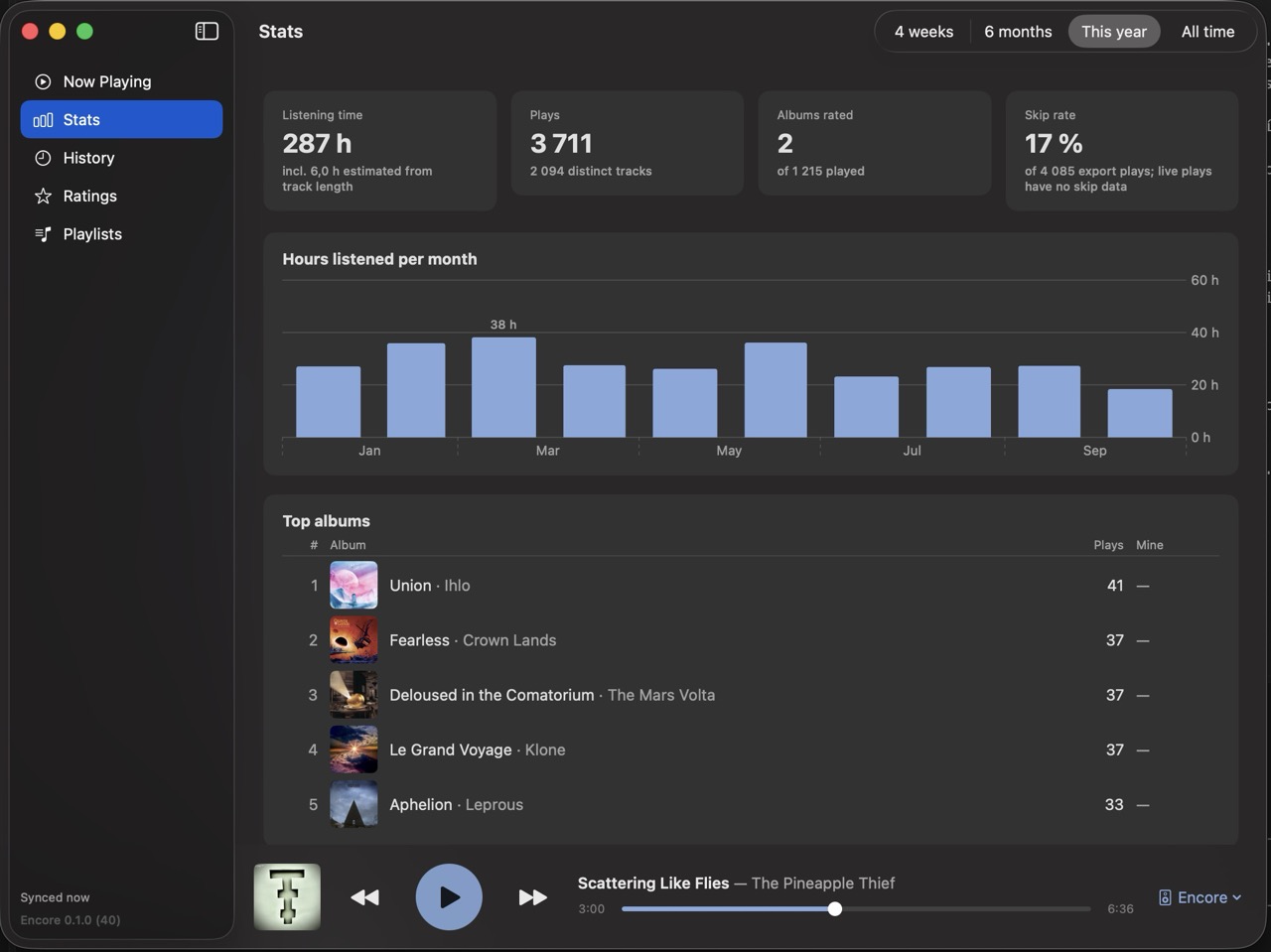
These entries feed the stats. They show my total listening time and its breakdown by month or week, and my top albums, artists and tracks. For plays from the export they also show the share of skipped tracks; the other sources don't carry that data. There's also a list of albums I play often but haven't rated yet.
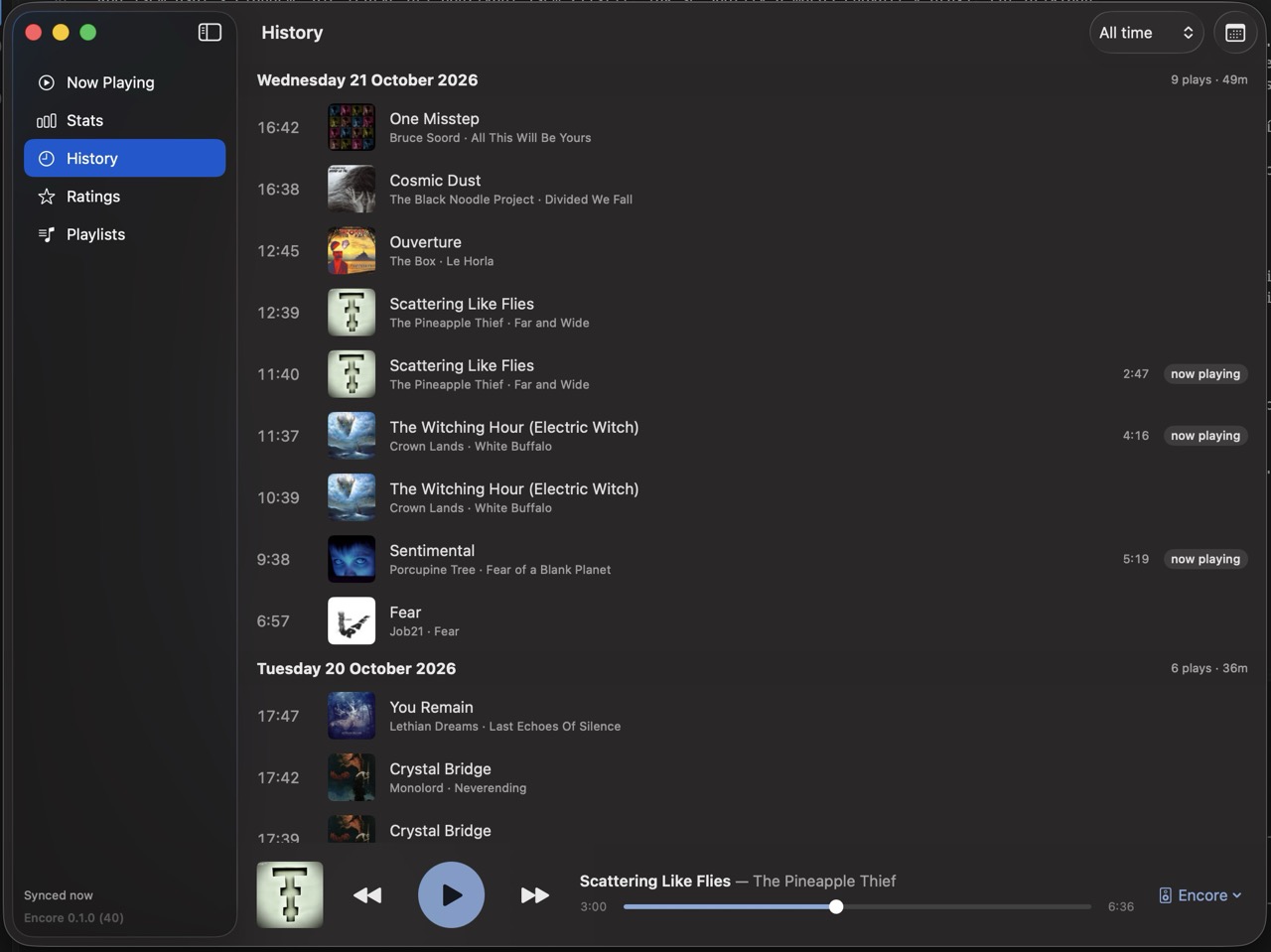
The history then shows the date and time of every play, podcasts included.
Ratings and reviews
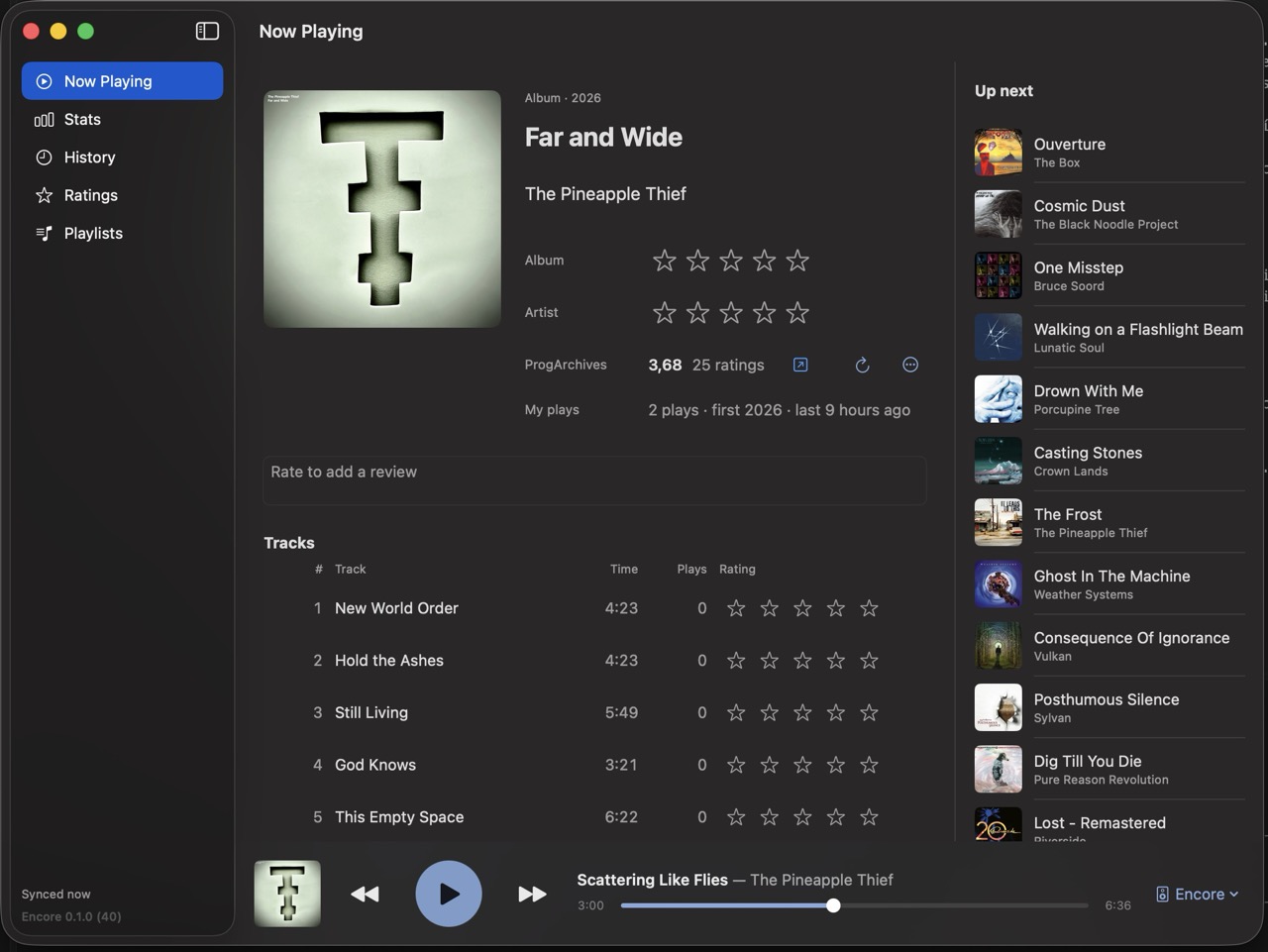
In Spotify I can save a track or an album to my library, but I can't add my own rating. In Encore I give tracks, albums, artists, podcasts and individual episodes one to five stars and write short reviews of them. I can rate on the Now Playing screen, in the menu bar panel, on an album, artist or podcast page, or in the list of unrated albums in the stats, so I don't have to look them up.
Ratings from ProgArchives
ProgArchives is a progressive rock database with user ratings of albums. It has no API and the site sits behind Cloudflare, so a plain HTTP request doesn't get through. Encore loads the pages in a hidden WebKit window, only when an album or artist is shown: on its own page, as the current track or in the menu bar panel. It loads pages at least two seconds apart and caches the results for 30 days. If Cloudflare asks for verification, Encore shows the window and I complete the check myself.
Matching a Spotify album to a ProgArchives album works like this: Encore looks up the artist, loads their discography and compares titles. It strips suffixes like Remastered or Deluxe Edition from both titles but keeps Live, because live albums have their own entries on ProgArchives. If it finds exactly one exact match, it links the albums automatically. Otherwise it offers me the candidates to choose from. For an album I then see the average rating and the number of votes. ProgArchives doesn't rate artists, so for an artist Encore computes the average of their studio albums, weighted by vote count.
Playback without the Spotify app
Encore controls playback through the Web API on any device running Spotify, such as a phone or a speaker. It lets me pin favourite playlists, responds to media keys and manages its own track queue, because the Web API can only add to the queue.
But Encore can also play music itself. It runs Spotify's Web Playback SDK in a hidden WebKit window, which turns Encore into another Spotify Connect device. The player starts only when needed and shuts down as soon as I move playback to another device. So I don't need the Spotify app running on my Mac at all.
What Spotify allows developers
Encore is registered with Spotify as an app in development mode. Whoever registered the app must have a Premium subscription, and at most five people may use it. Some API features and data are also unavailable in this mode, such as fetching tracks in bulk, their audio features or popularity data. Spotify's own playlists, like Discover Weekly or Daily Mix, can be played, but the API returns none of their name, cover or track list. The tracks only show up in the playback queue; Encore takes the name and cover from the public oEmbed endpoint.
Spotify also strictly limits the number of requests. When the app filled in track details after loading the export, it sent about 540 track requests in three minutes, and Spotify then blocked my access for 18.7 hours. Encore now never crawls the catalogue in bulk in the background. It fetches data for each track separately, only when it actually needs it. And if Spotify orders a pause, Encore keeps to it even after a restart.
What I ran into
I wrote the code with Claude, but only by using the app did I find out how Spotify and macOS behave in practice. A few examples:
- Tokens in the Keychain. An app signed without an Apple developer certificate has Keychain access tied to the specific build. After every new build, macOS asked for my password again, even though I had chosen “Always Allow” before. So I store the tokens in a file readable only by my user account.
- A sleeping player. WebKit suspends the process of a hidden window when it isn't playing audio. A paused player then ignored commands such as resume, even though the Web API reported success. Turning off WebKit's suspension fixed it.
- Playback starting on its own. The Web Playback SDK reports that it's ready after every reconnect. At first Encore took over playback each time, so a paused track started playing again by itself. Now it takes over only on the first ready report after I ask it to play.
- Media keys. Until Encore announced itself to the system as a player, macOS passed the Play key to the Music app. So Encore announces itself even when nothing is playing and shows the last played track as paused in Control Center.
How demanding Encore is
I measured the load with a script that records the CPU usage and memory of Encore and its WebKit helper processes every two seconds for one minute. At first, Encore used 2.4 to 4.9 % of the CPU, even with the music paused and the window hidden. The main culprit was the track progress bar: it changes every second, and each time SwiftUI recalculated the layout of the whole window. The progress timer now stops while playback is paused or the window is hidden, and the progress row is drawn directly by AppKit. That brought CPU usage down to 0.2 to 0.4 %, whether the window is visible or not and whether music is playing or paused. Including the WebKit processes, Encore takes up 180 to 260 MB of memory. For comparison, the Spotify app that got me started on Encore takes up over 1 GB.
What Encore runs on
Encore is written in Swift 6.2, uses SwiftUI and runs on macOS 26. It stores data in SQLite through the GRDB library, its only dependency. Signing in to Spotify uses OAuth with PKCE, so the app doesn't need to contain any secret key. The database is backed up daily to a folder of my choice, such as iCloud Drive, and Encore keeps the last seven backups.
What's next
I'd like to add Spotify search and more rating sources.
Encore isn't publicly available. I'm the only one using it, and I don't yet know whether Spotify's terms allow publishing an app like this.