Bringing old Čtyřlístek games back to life for my son
In this article
My brother and I used to play the Czech Čtyřlístek games that came with Nesquik cereal promotions. Years later, I still had the CDs and wanted my son to try them. I expected a little compatibility troubleshooting. Getting from those discs to a playable game took rather more work.
My own computers run Linux or macOS. A Windows 11 laptop from work seemed like an easy alternative, but the games crashed there too. Eventually I got all three running in Wine inside Docker, with the picture, sound, and controls accessible from a browser.
I just wanted to get three games running
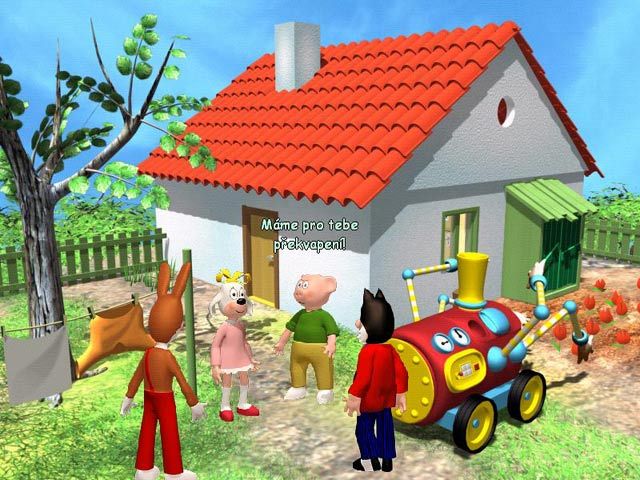
Čtyřlístek is a Czech children's comic series whose characters also appeared in PC games. The three titles I had were:
| Game | Year | Name used in my scripts |
|---|---|---|
| Čtyřlístek: Zítra se bude tapetovat | 2001 | tapetovat |
| Čtyřlístek: Sami doma | 2003 | sami |
| Čtyřlístek: Silák Bobík | 2005 | silak |
They are 2D point-and-click adventures built on Centauri Production's CPAL2 engine. They are Windows programs from the Windows 98/XP era, with dependencies on DirectDraw for graphics, DirectSound for audio, DirectInput for controls, and DirectShow/AMStream for media playback. Their age does not make them DOS games; a DOS environment would not supply the Windows interfaces they expect.
I wanted to launch them reliably without keeping an old Windows computer around. A browser interface would let me select a title and play from another device without installing the game there.
What I tried first
On Windows 11, installation succeeded, but launching the games led to crashes. Trying compatibility modes did not produce a dependable result in my setup.
Next came Windows XP in UTM. An operating system from the right period sounded promising. After about an hour and a half of setting up the virtual machine and installing XP, I still did not have the DirectX support the games needed. Installing the old operating system was only part of the job. The hardware and graphics interfaces UTM exposed to it also mattered, and my configuration did not meet the games' requirements.
Then I tried v86, an x86 emulator that runs in the browser. The idea was to boot a Linux i386 guest, run Wine inside it, and put game-launch controls around the result. This would have kept the whole execution environment in the browser.
The experiment helped me work out the interface: a game selector, launch controls, status, and visible logs all made sense. But rebuilding and testing the guest was slow, and Wine itself became unstable before the game could reliably start. Errors included WINE_EXITED_EARLY and failures around virtual_map_user_shared_data.
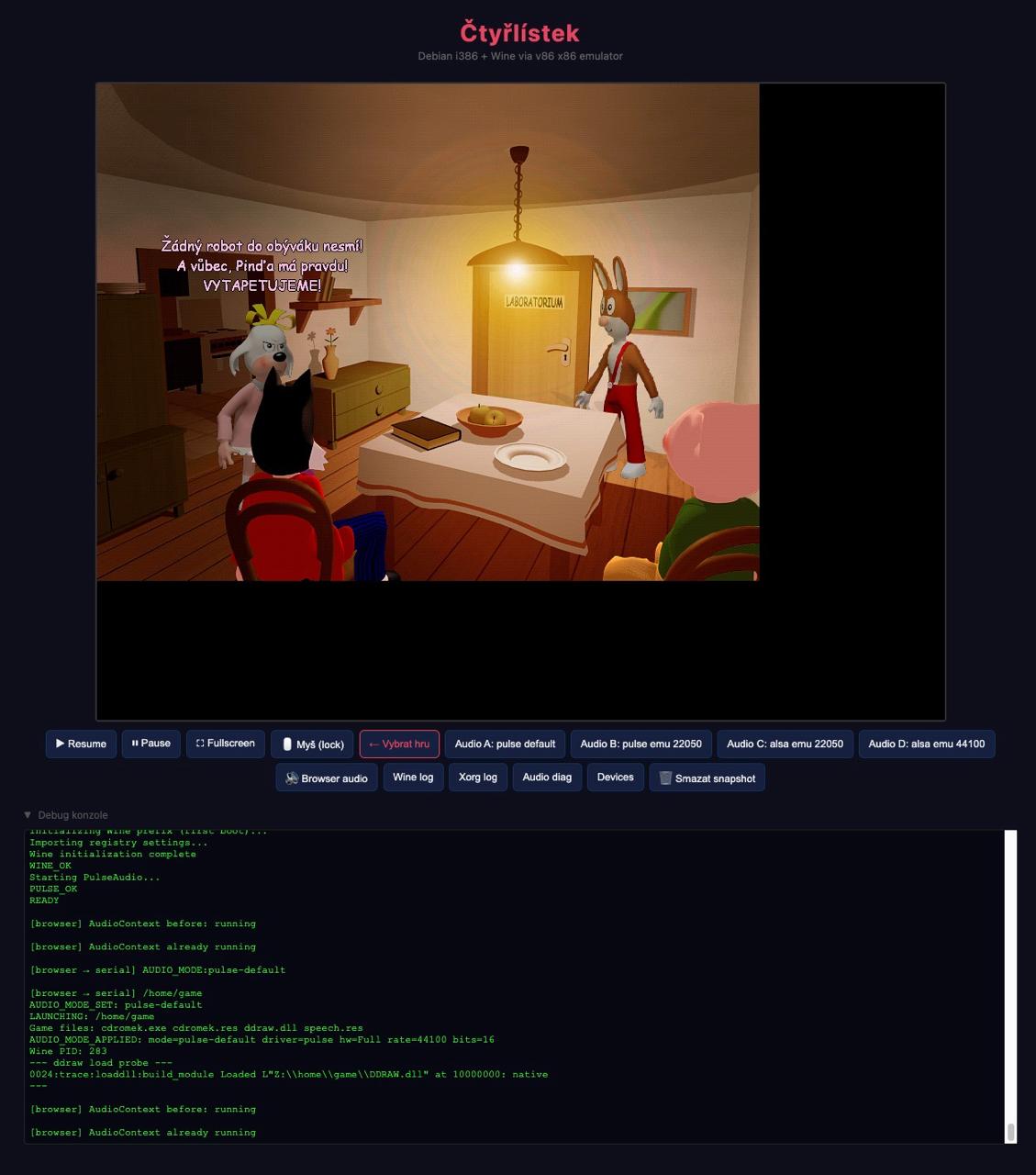
That changed what I was debugging. I was dealing with Wine startup inside the emulated guest, before I could even reach the game's compatibility problems. I already had a playable Docker/Wine baseline outside v86, so moving execution there was the more practical next step.
Running on the host, playing in the browser
The working setup uses a linux/386 Docker image containing Wine, TigerVNC's Xvnc, noVNC, websockify, PulseAudio, and a small Python control server.
The game executes on the Docker host. The browser displays the remote desktop and sends keyboard and mouse input back. This removes the v86 CPU-emulation layer from the browser; the host still needs an environment capable of running the i386 image.
There are three separate connections:
Picture and input: browser <-> noVNC / websockify <-> Xvnc <-> Wine game
Sound:             PulseAudio -> control server -> WebSocket -> browser
Launch controls:   browser -> control API -> launch / stop / status / logs
Wine provides the Windows compatibility environment in which cdromek.exe runs. Xvnc acts as both the X display server and the VNC server, so another process does not have to poll a separate display buffer to capture the picture. noVNC is the VNC client in the browser, and websockify bridges its WebSocket connection to the VNC server.
Sound travels separately from the desktop connection. PulseAudio sends the game's output to a virtual audio device, a null sink. Its monitor exposes the audio for capture. The control server relays that stream over a WebSocket, and an AudioWorklet plays the PCM samples in the browser.
Buffering is a compromise here: too little makes interruptions audible; too much makes sounds arrive noticeably after the action. A small buffer improved latency, but the audio path still needs its own handling alongside the picture.
The Python server also selects the game, stops leftover Wine processes between launches, exposes logs and status, and applies settings for each title. One graphics configuration did not suit all three: tapetovat can use a native-first ddraw wrapper, while sami and silak work better with Wine's built-in ddraw in this setup.
What the games expect from old Windows
Once the execution environment worked, three smaller compatibility problems became easier to isolate: installation, paths, and the Windows components the games expected to find.
Launching without the installers
tapetovat already had extracted game files available. The other two titles expected to go through an installer. Their media contained Centauri CPack archives: cdromek.pak held resources, and cdromek2.pak held the executable.
Extracting those into cdromek.res and cdromek.exe let me launch the games directly from a prepared directory. It removed the installer from repeated test runs and gave all three titles a similar starting point. It did not solve every compatibility issue, but it removed one source of variation.
Putting files where the game looks for them
The games expected locations such as C:\runtime-* and C:\Program Files\Ctyrlistek\.... Having the right files somewhere in the container was not enough if the program looked for them under a different Windows path.
The launcher prepares writable copies of the game files and creates path aliases where needed. It also supplies TEMP and TMP as paths Windows programs can understand. These details are easy to overlook when launching a Windows executable from a Linux shell.
Missing fonts and multimedia components
The environment also needed core fonts, old font substitutions such as Arial CE, DirectShow-related COM registrations, DirectX-era registry values, and mappings for legacy codec names.
This was where errors could be misleading. A failure inside the game did not necessarily mean its own logic was broken. It could mean a font or multimedia component that used to be present on Windows was missing or registered differently under Wine.
The menu videos were the last serious blocker
The most stubborn crashes happened while sami and silak tried to play AVI clips in their menus. The errors came through CPSE and AMStream:
CPSE: Stream open file failed
Can't create multimedia stream instance
RenderEx -> 0x80040218
An .avi extension identifies the container, not the codec needed to decode its contents. sami included Intel Indeo-era clips, while silak included WMV3 video. The media pipeline had to find and connect the right components before playback could begin.
I tried converting clips and simplifying the playback path, but parts of the DirectShow pipeline still failed. The workaround was to patch the known executable builds and blank their menu_*.avi references. The games then skipped the failing clips.
We lose the animated menu intros, but the games themselves remain playable. It is a compromise I can live with for playing together, even though it does not preserve the complete original experience. The patch also belongs to those particular executable builds; offsets from one binary should not be assumed to apply to another.
Good enough to play together
All three titles now launch through the browser interface. The launcher bypasses the installers, cleans up Wine processes between sessions, and applies the fixes for each game. Sound latency is better than in the earlier attempts, and the menu-video crashes are worked around.
The desktop stream remains the weakest part. Under load it can feel choppy, with the slower cases I observed dropping to the low twenties in frames per second. That is an observation from this setup, not a benchmark for Wine or noVNC in general. Graphics settings and the work needed to capture and deliver the picture still leave room for improvement.
But the CDs are useful again. My son and I actually play the games, which was the reason for starting this in the first place.
The next challenge is teaching him to use the mouse. Until now, he has mostly played on a phone. After all the time spent on Wine and old video codecs, that is a much nicer problem to have.